The day the futureappeared on a screen.
In ninety minutes he showed a thousand computer professionals the mouse, hypertext, windows and shared editing, as one working system.
1968
09 December
San Francisco
SRI International
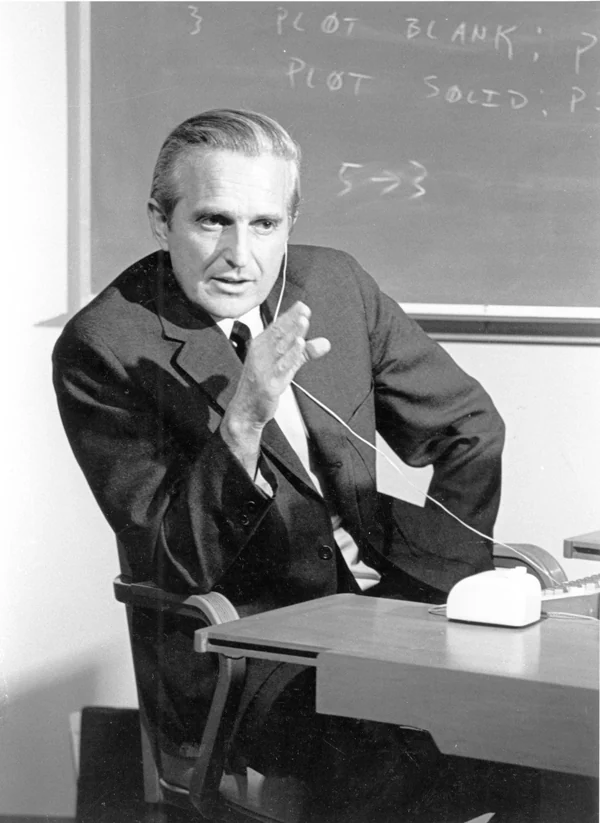
Douglas Engelbart at SRI, 1968. Photograph: SRI International, CC BY-SA 3.0.
01 / The room and the link
Live, with no second take.
The Fall Joint Computer Conference filled the Civic Auditorium in San Francisco. Engelbart sat alone on stage, his display projected twenty-two feet above him. The computer answering was in Menlo Park.
Two microwave links carried the picture down the peninsula and back; a leased line carried the keystrokes; a borrowed projector put it on the wall. Seventeen people ran cameras, mixers and cues at both ends.
None of it was productised. All of it worked.
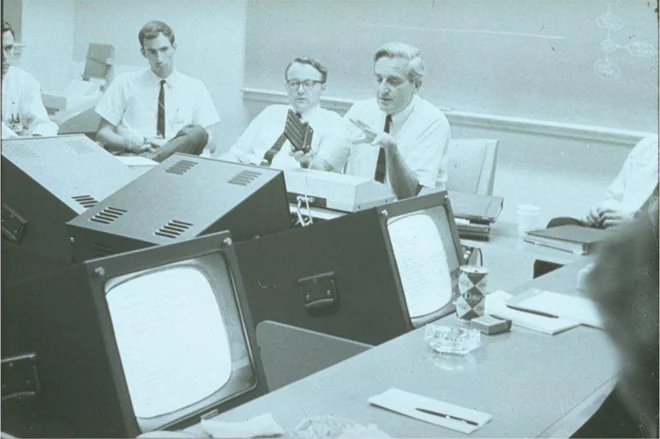
The Augmentation Research Center at work. Photograph: SRI International, public domain.
90
Minutes live
1,000
People in the room
30
Miles to the computer
17
People behind the scenes
02 / What was on the table
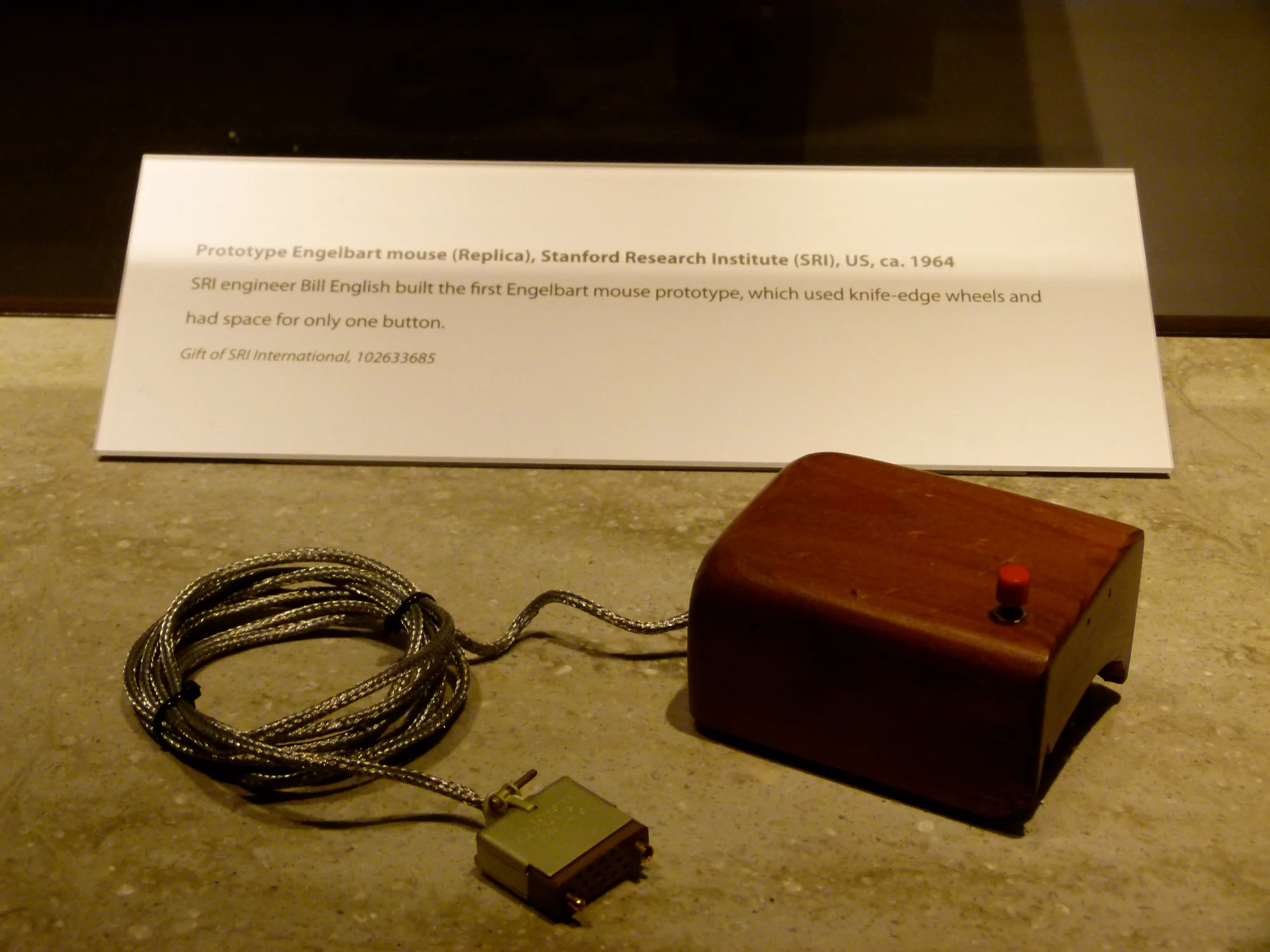
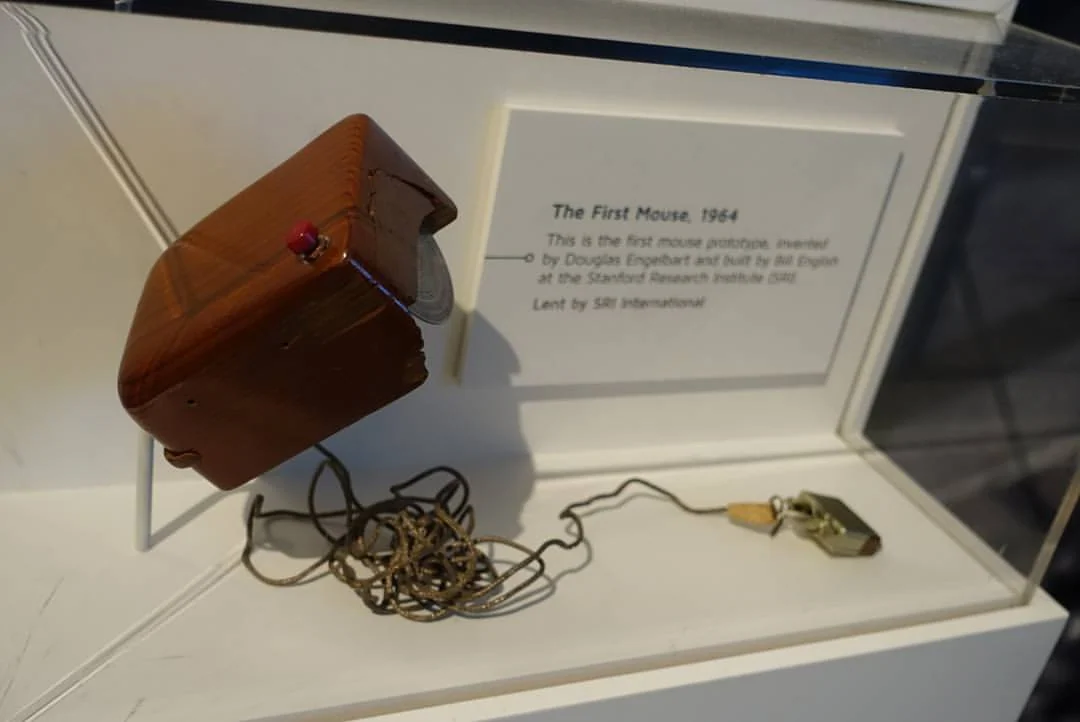
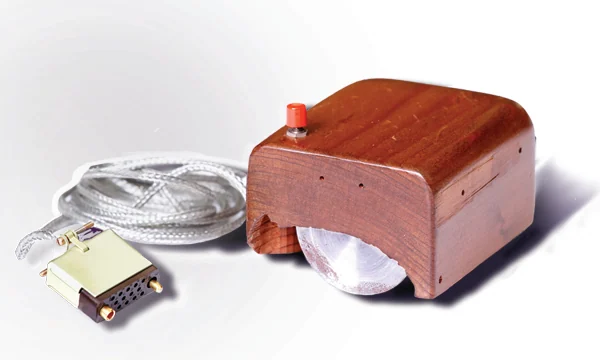
A block of wood, two wheels and one button.
Bill English built it in 1964 from Engelbart's sketch. Two knife-edge wheels set at right angles under a shaped pine shell, each reporting one axis as the block is pushed. Room on top for one button.
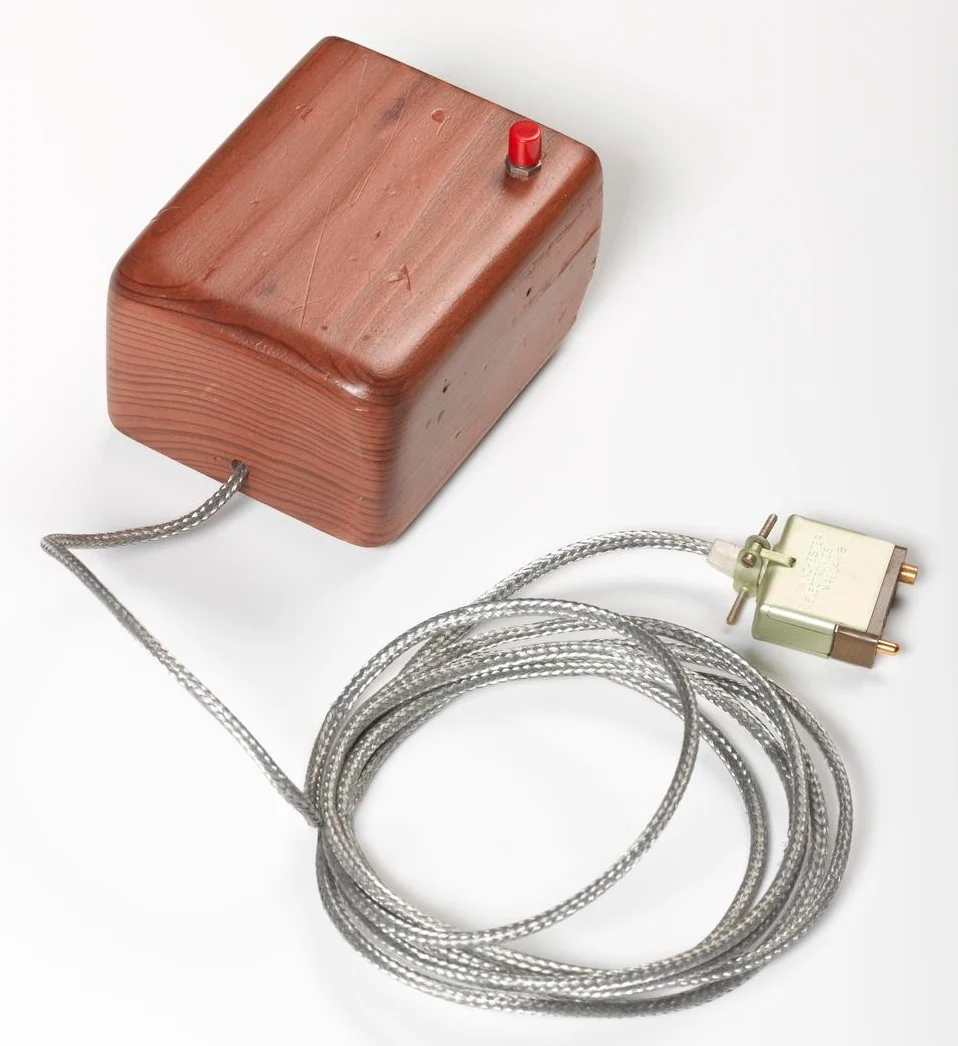
Prototype mouse, top. Photograph: Science Museum Group, CC BY 4.0.
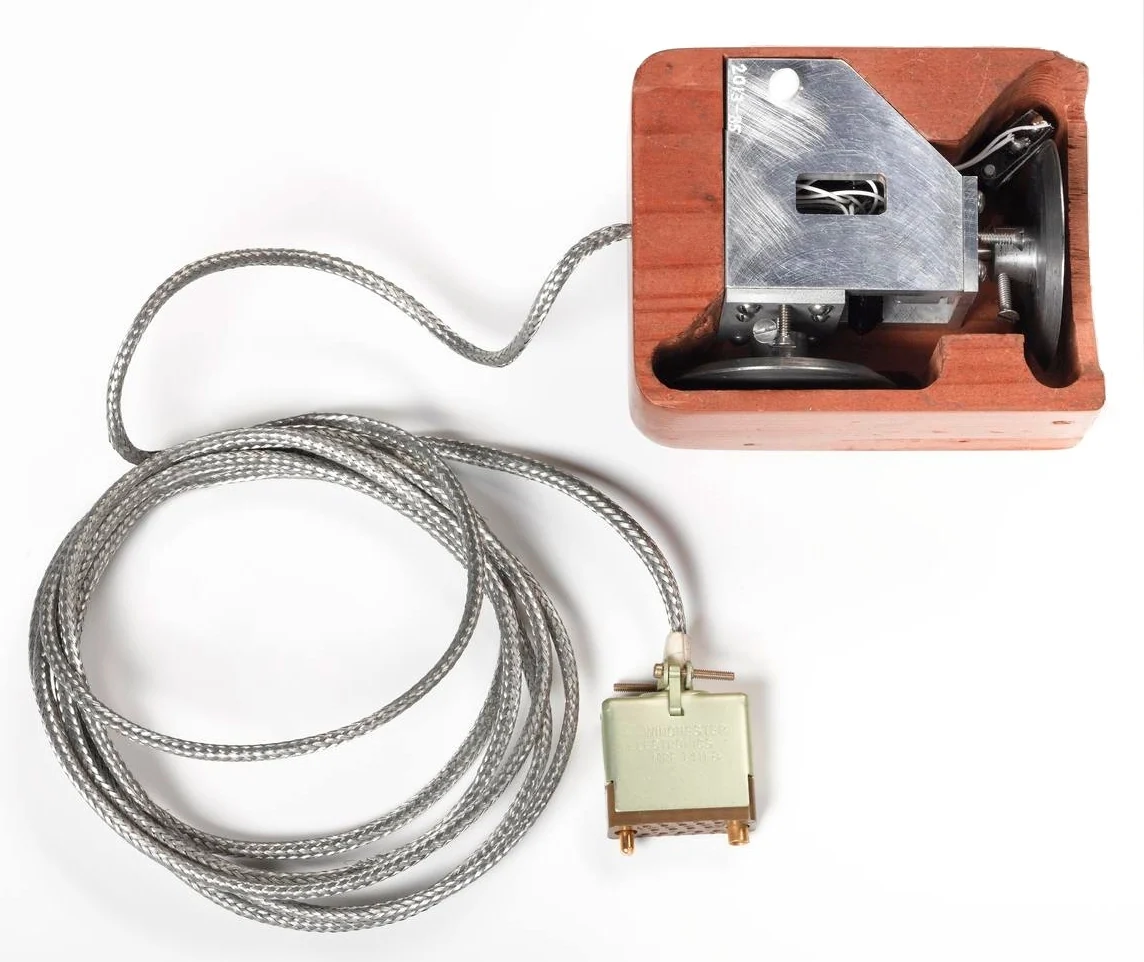
The same object, underside. Photograph: Science Museum Group, CC BY 4.0.
We just started calling it a mouse, Engelbart said later, and nobody remembers who did. The cable came out of the back at first, where a tail belongs; it moved to the front because it caught under the wrist.
It cost about seventeen dollars in parts. A year later it beat every other pointing device SRI tested, including a knee-operated lever and a light pen, and nothing has displaced it since.
03 / The other hand
Five keys, thirty-one chords.
The mouse only ever handled position. Commands came from the left hand, on a five-key handset played like chords: press keys together and the combination is a character or a command. Five keys give thirty-one, and neither hand ever had to move.
This is the half that did not survive. It took weeks to learn and made the system look difficult, so the industry took the mouse and left it behind. Engelbart argued against that for the rest of his life: he designed for daily use, not for a first try.
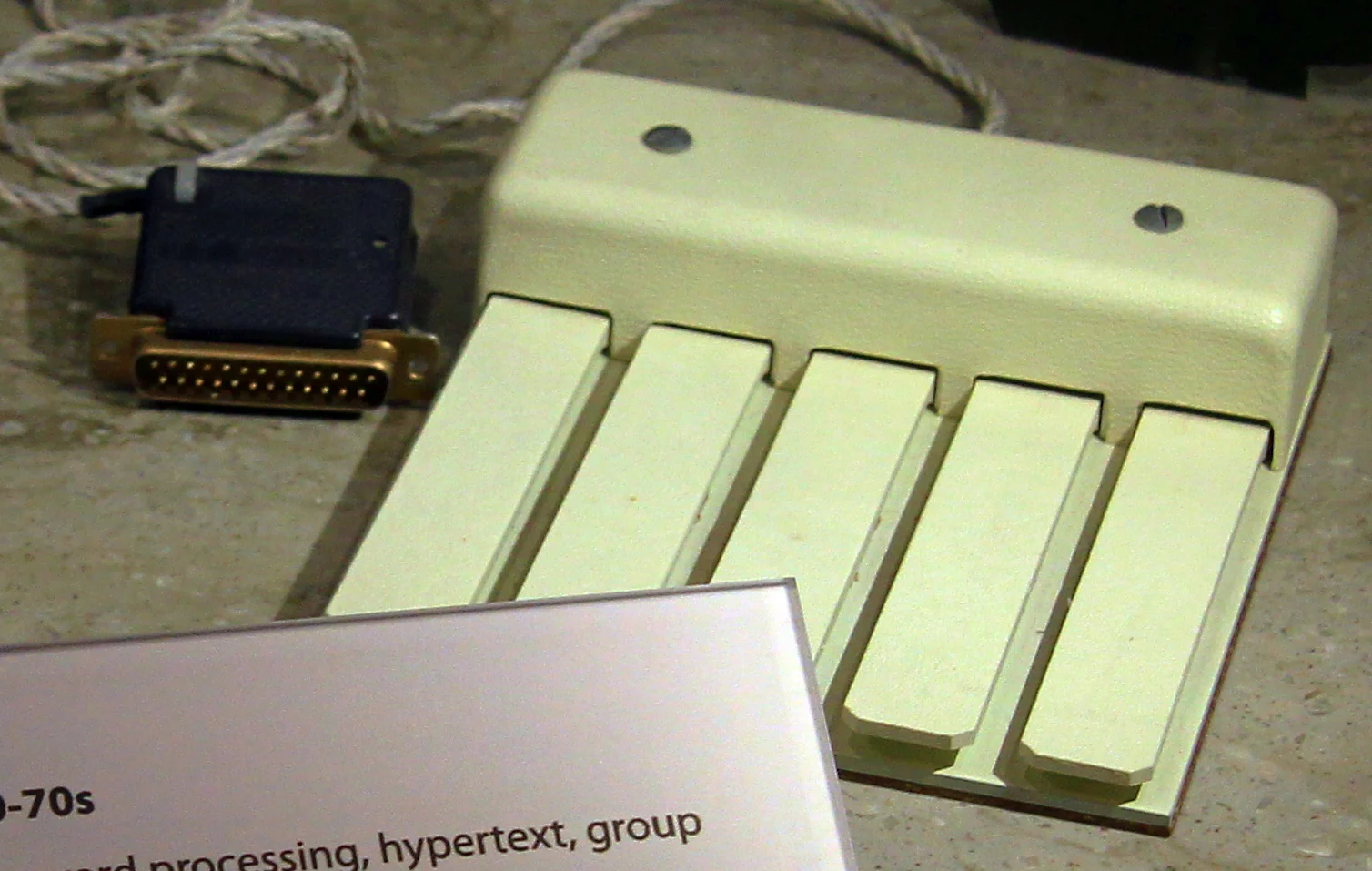
The five-key chord keyset. Photograph: Michael Hicks, CC BY 2.0.
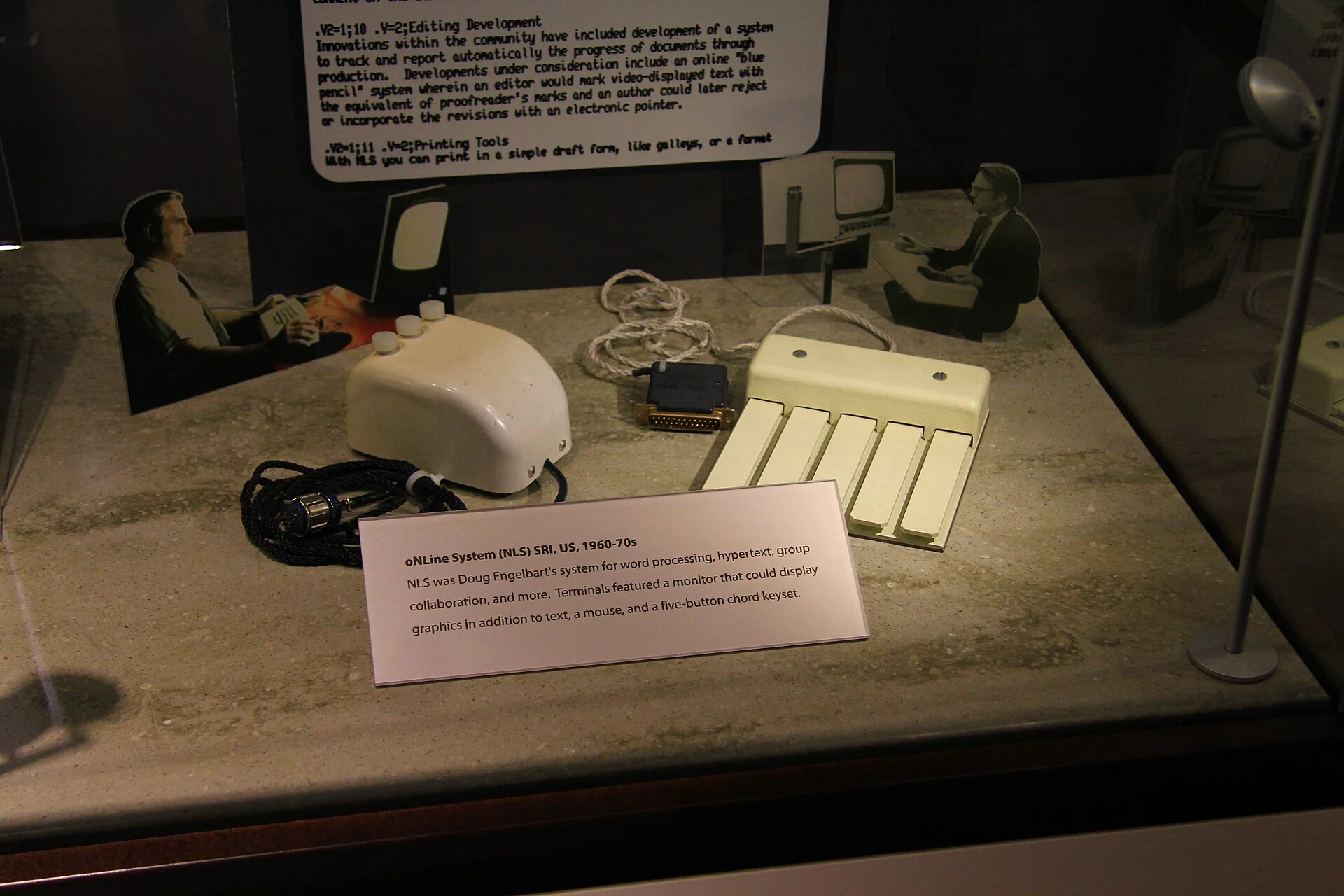
Mouse and keyset shown together, as they were used. Photograph: Michael Hicks, CC BY 2.0.
04 / The vocabulary
Six ideas, demonstrated together.
The achievement was not any one of these, but that they arrived as one system, each making the others worth having.
01
Pointing
A cursor tracking a hand across a desk. Not a command typed at a prompt, but a place on the screen, chosen by moving something you hold.
02
Linking
Any word could carry an address to another document. Following one opened the destination without discarding the context that led there. Twenty-three years before the web.
03
Windows
The screen divided into independent views, resized and rearranged while the work continued in all of them.
04
Structure
Every line belonged to a hierarchy that could be collapsed, expanded, reordered and addressed. A document was something you operated, not a page you retyped.
05
Shared editing
Engelbart and Bill Paxton worked the same file at the same time from opposite ends of the peninsula, each with a visible pointer, each seeing the other's changes appear.
06
Presence
Paxton's face and voice shared the screen with the document. The video call and the shared workspace were one thing, on one display, in 1968.
05 / What a screen was
A display cost more than a house.
In 1968 a computer display was a laboratory instrument: glowing vector strokes on a phosphor tube, priced in thousands. Most people who used a computer never saw one — they handed in a deck of cards and collected paper hours later.
Engelbart's argument was that a screen is not an output device. It is where thinking happens, and the pointing, the linking and the structure all follow from taking that seriously.
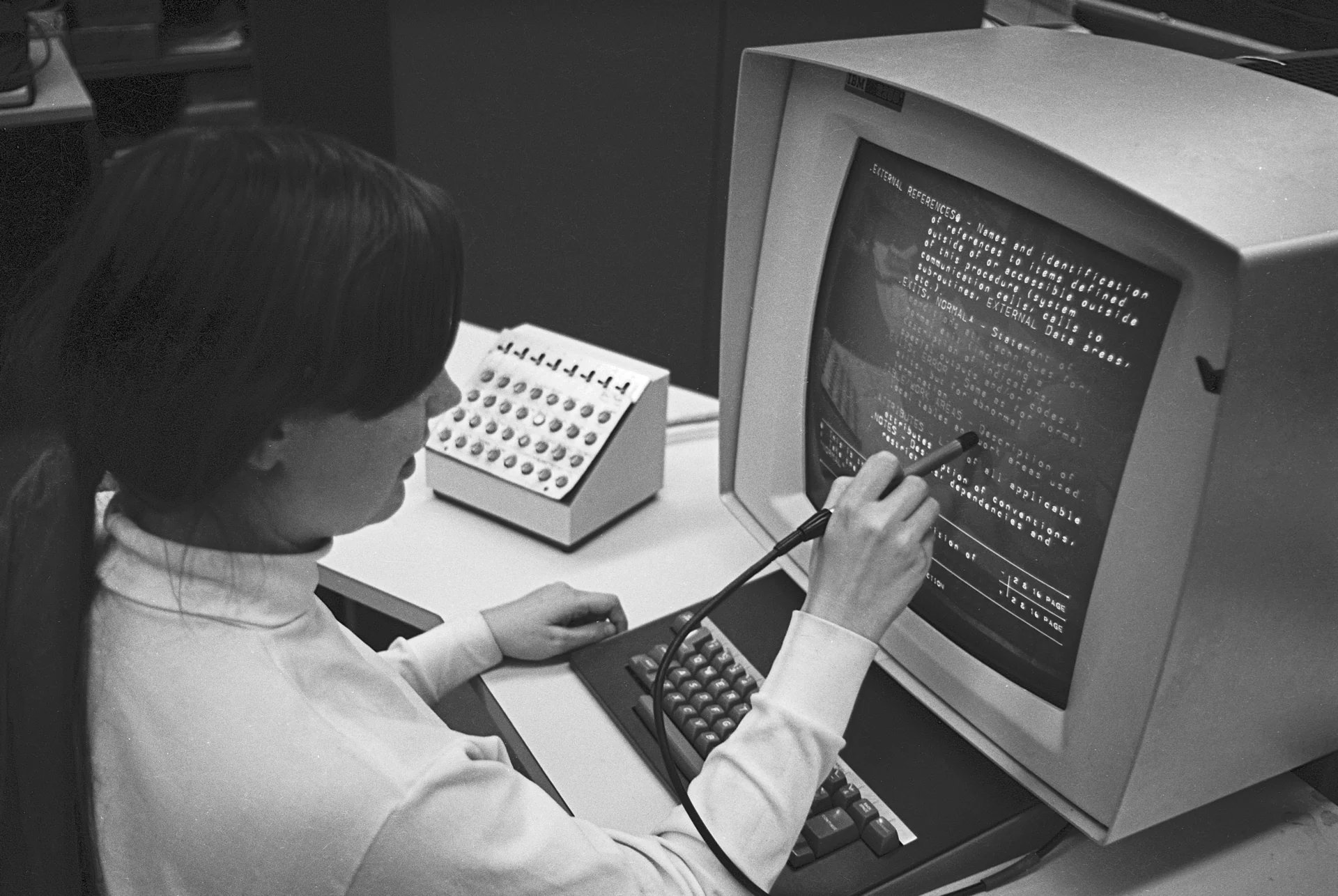
Not the 1968 demonstration: the Hypertext Editing System at Brown University, October 1969, a light pen selecting one line of linked text. Photograph: Gregory Lloyd, CC BY-SA 4.0.
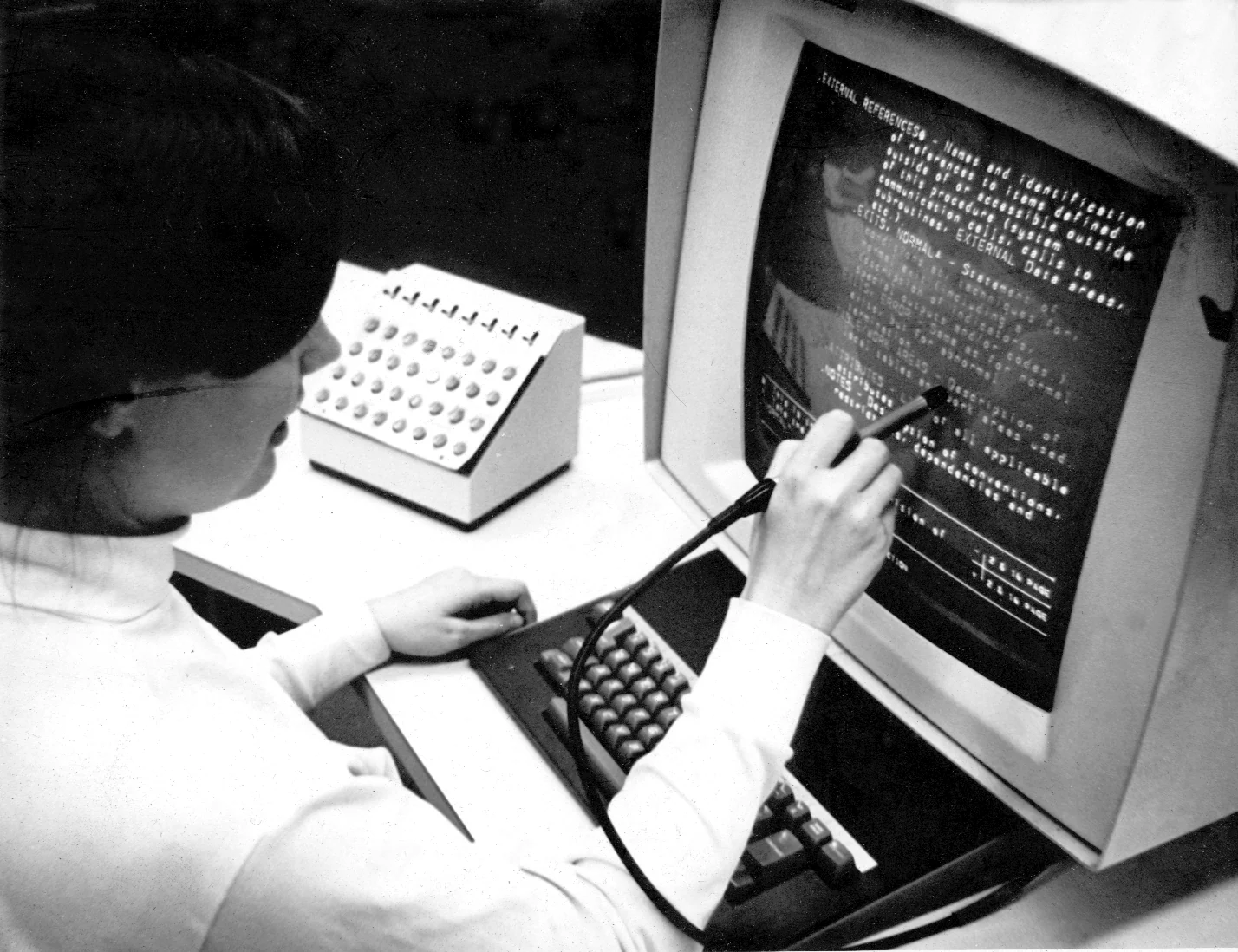
The same console, with its bank of function buttons. Brown University, 1969. Photograph: Gregory Lloyd, CC BY 2.0.
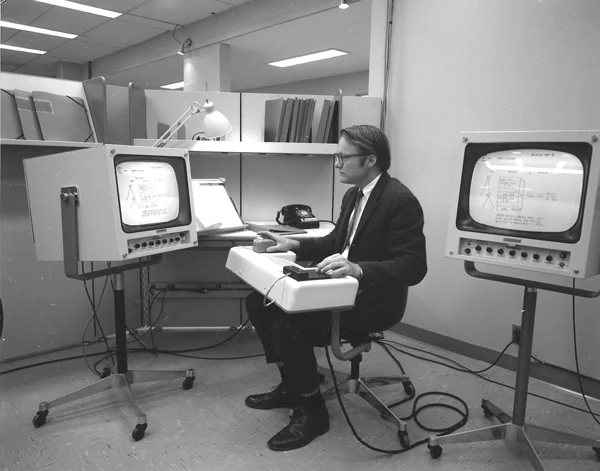
An NLS workstation at SRI in 1968 — mouse at the right hand, keyset at the left. Photograph: SRI International, CC BY-SA 3.0.
06 / The machine
Everything ran on less memory than this sentence.
NLS ran on a Scientific Data Systems 940 at Menlo Park, with 192 kilobytes of core memory shared across every user. The cabinet below is its immediate predecessor, opened: plug-in circuit cards on one side, core memory on the other, every bit of it a hand-threaded ferrite ring.
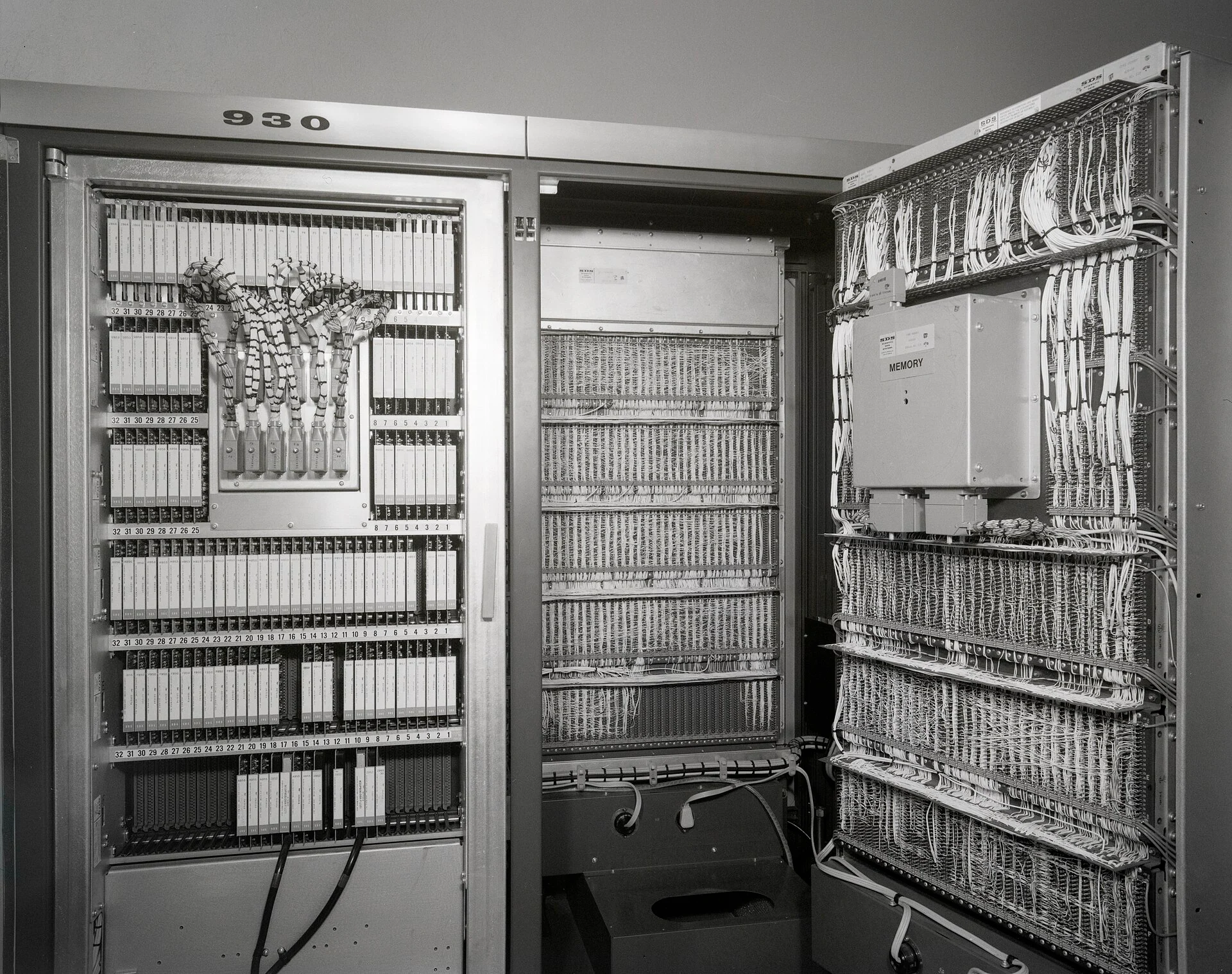
A Scientific Data Systems 930, the machine family that ran NLS. CC BY-SA 4.0.
192
Kilobytes of memory
12
Simultaneous users
$1m
A machine of this class
07 / The laboratory
It is called Engelbart's demo. It was not Engelbart's work alone.
Bill English built the mouse and directed the show from the auditorium. Jeff Rulifson wrote the software. Bill Paxton was the face and the second pointer at the Menlo Park end. Don Andrews, Roger Bates, Bruce Hardy, Dave Casseres, Martin Hardy and a dozen more built, wired, cued and ran it.
The Augmentation Research Center was thirty-odd people who thought a computer's job was to make a group of humans collectively smarter. Everything on this page is a side effect of that idea.
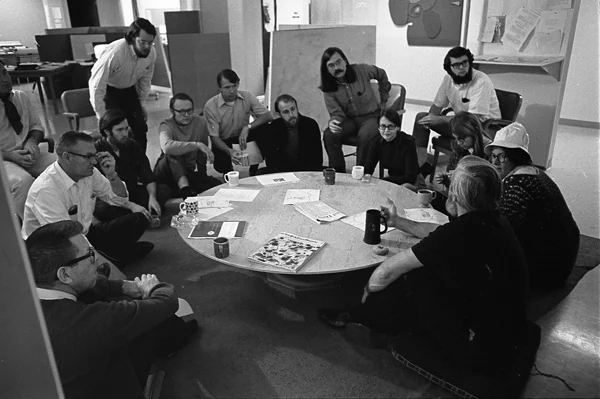
The Augmentation Research Center, November 1969. Photograph: SRI International, CC BY-SA 3.0.
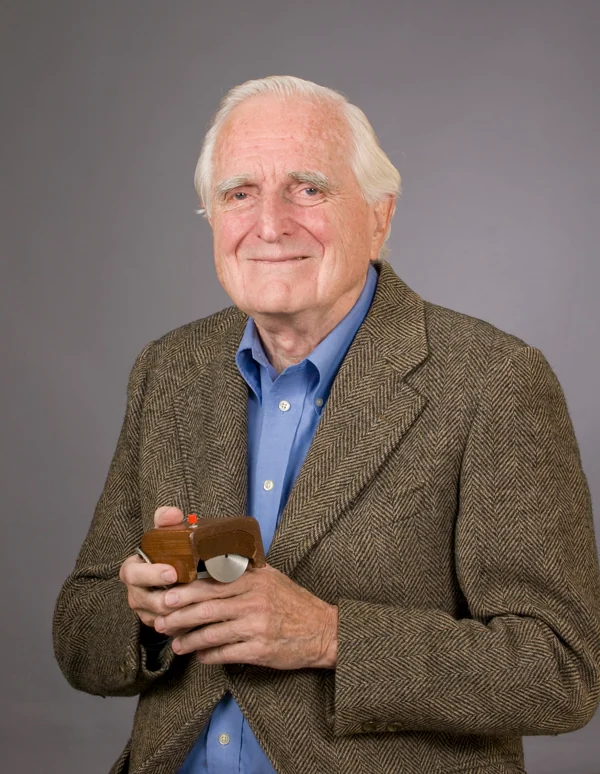
Engelbart with the prototype, later in life. Photograph: SRI International, CC BY-SA 3.0.
08 / When the screen went dark
He was dealinglightning withboth hands.
The audience stood. Within a decade much of the room had moved to Xerox PARC and built the machine that carried these ideas everywhere. Engelbart's own lab lost its funding. He spent his career arguing that the industry took the easy half and left the rest — the training, the chords, the collective work — behind.
09 / The line
It kept echoing.
1945
Vannevar Bush describes the memex: a desk that holds a library and remembers the trails a reader makes through it. Engelbart reads it in a Red Cross library in the Philippines.
1951
Newly engaged and deciding his career had no goal, he spends months choosing one. He settles on making groups of people collectively better at hard problems.
1962
Augmenting Human Intellect sets out the framework: not a faster clerk, but a system of tools, language, method and training that raises what a group can think about.
9 December 1968
Ninety minutes at the Civic Auditorium. Pointing, linking, windows, structure, shared editing and video presence, all in one working system.
1973
The Xerox Alto arrives at PARC with a display, a mouse and a chorded keyset — built largely by people from that room, or from ARC.
1984
The graphical personal computer reaches the public. The mouse comes with it. The keyset does not.
1991
The web gives linking a global address and makes following one an ordinary act, twenty-three years after San Francisco.
Now
Shared documents, live cursors, video in the corner of the same window. The half the industry took has been rebuilt so many times it is invisible. The other half is still open work.
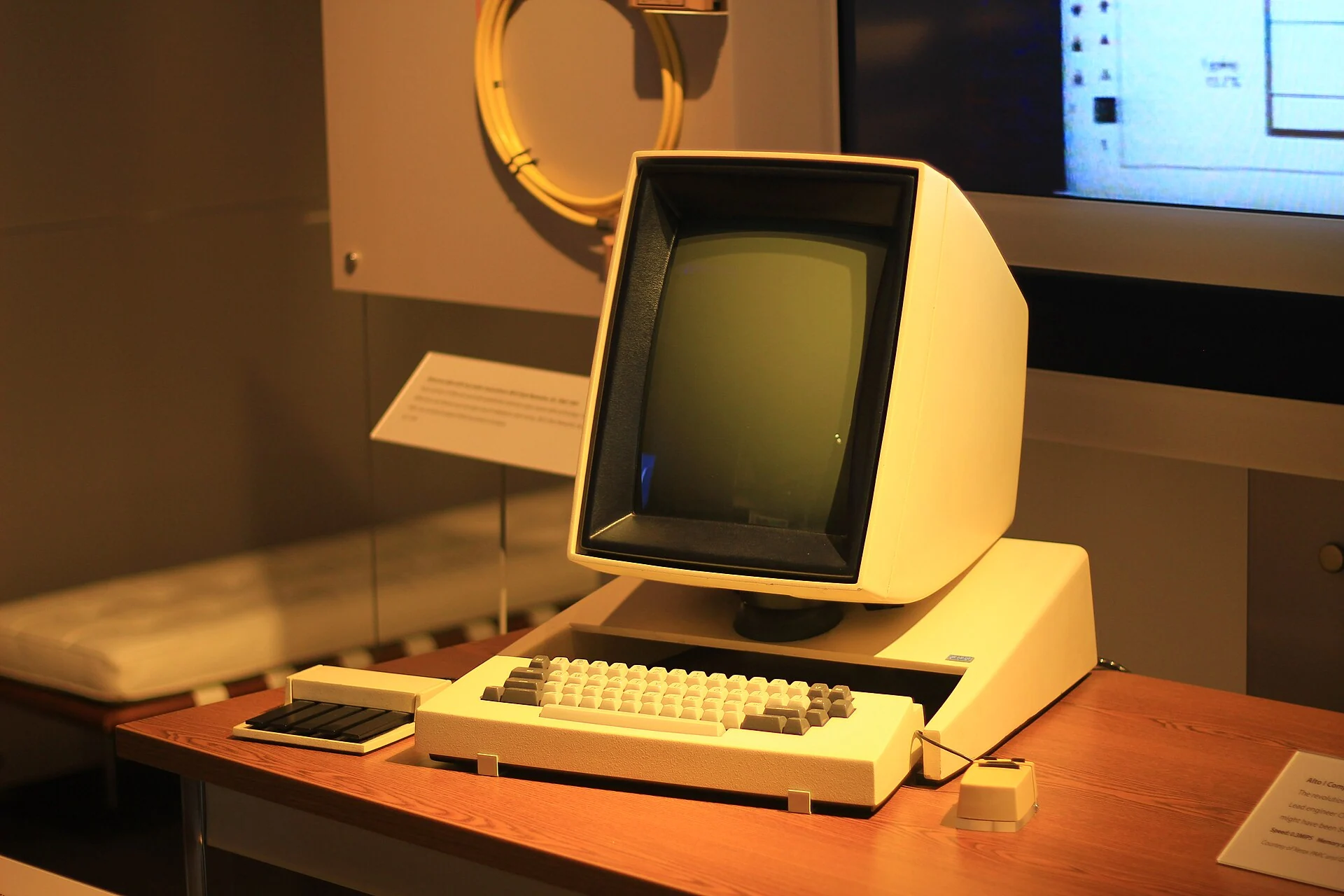
Xerox Alto, 1973 — display, mouse and chorded keyset. Photograph: Michael Hicks, CC BY 2.0.
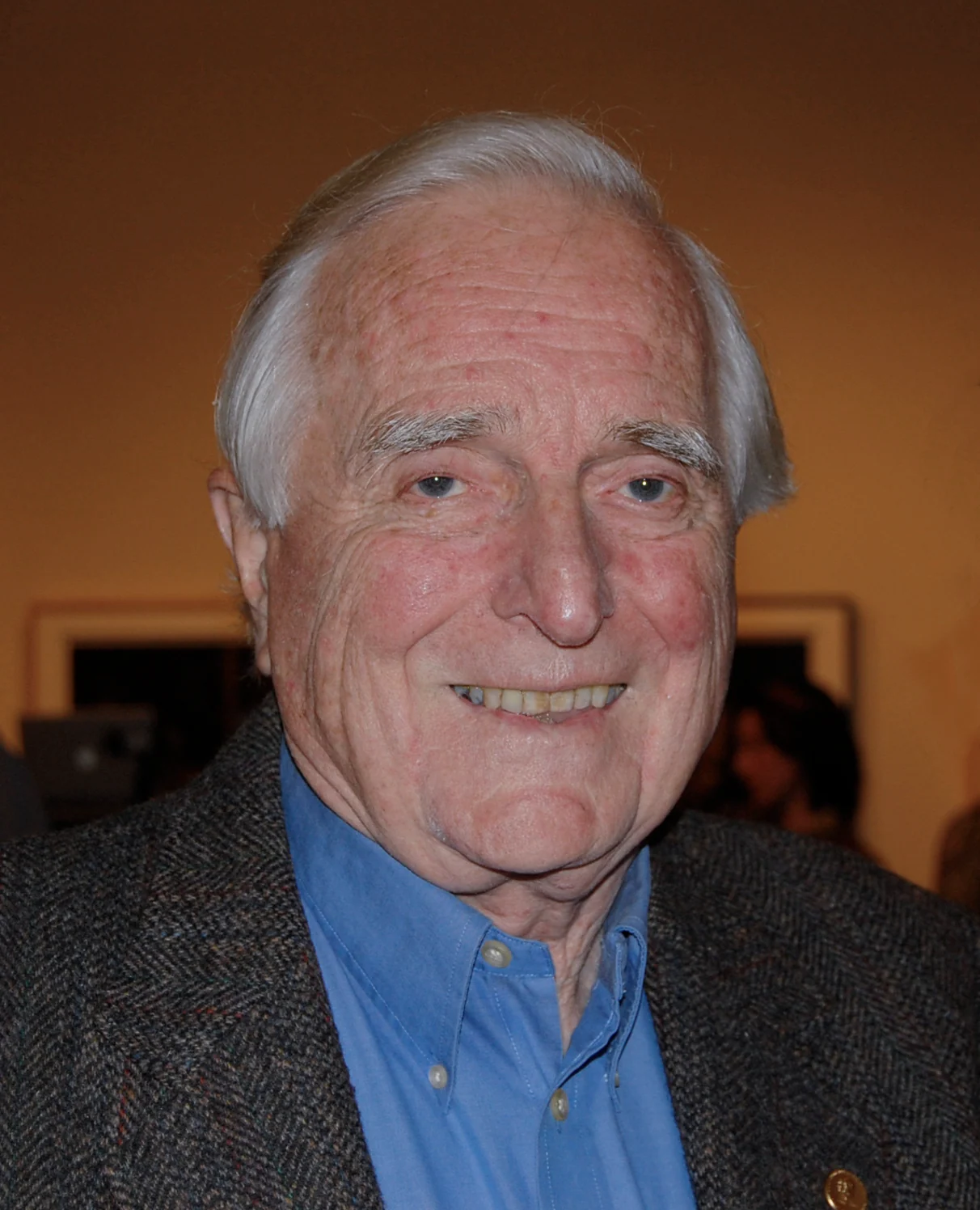
Douglas Engelbart in 2008, forty years on. Photograph: Alex Handy, CC BY-SA 2.0.
10 / See it whole
The recording still exists.
All ninety minutes were filmed, and the film survives — slower than a modern launch, stranger than most science fiction, and still the best place to start.
Photographs & source credits
SRI International
Engelbart at his desk, the NLS console, the laboratory in 1969, the mouse and the later portrait. CC BY-SA 3.0, plus one public-domain press photograph.
Science Museum Group
The two studio plates of the 1964 prototype, top and underside. CC BY 4.0.
Computer History Museum visitors
The vitrines, the mouse and keyset pair, and the Xerox Alto — Michael Hicks and others. CC BY 2.0.
Gregory Lloyd
The Hypertext Editing System console at Brown University, October 1969. CC BY 2.0 and CC BY-SA 4.0.
The future was shared.